Simple is fastest.
The market is full of AI tools that promise to give you your time back and end up burying you in features. FlashRAW does one thing well: it opens every RAW in a folder, subfolders included, instantly — no import, no waiting for previews to build — so you can go through, mark and move on. And without an absurd price.
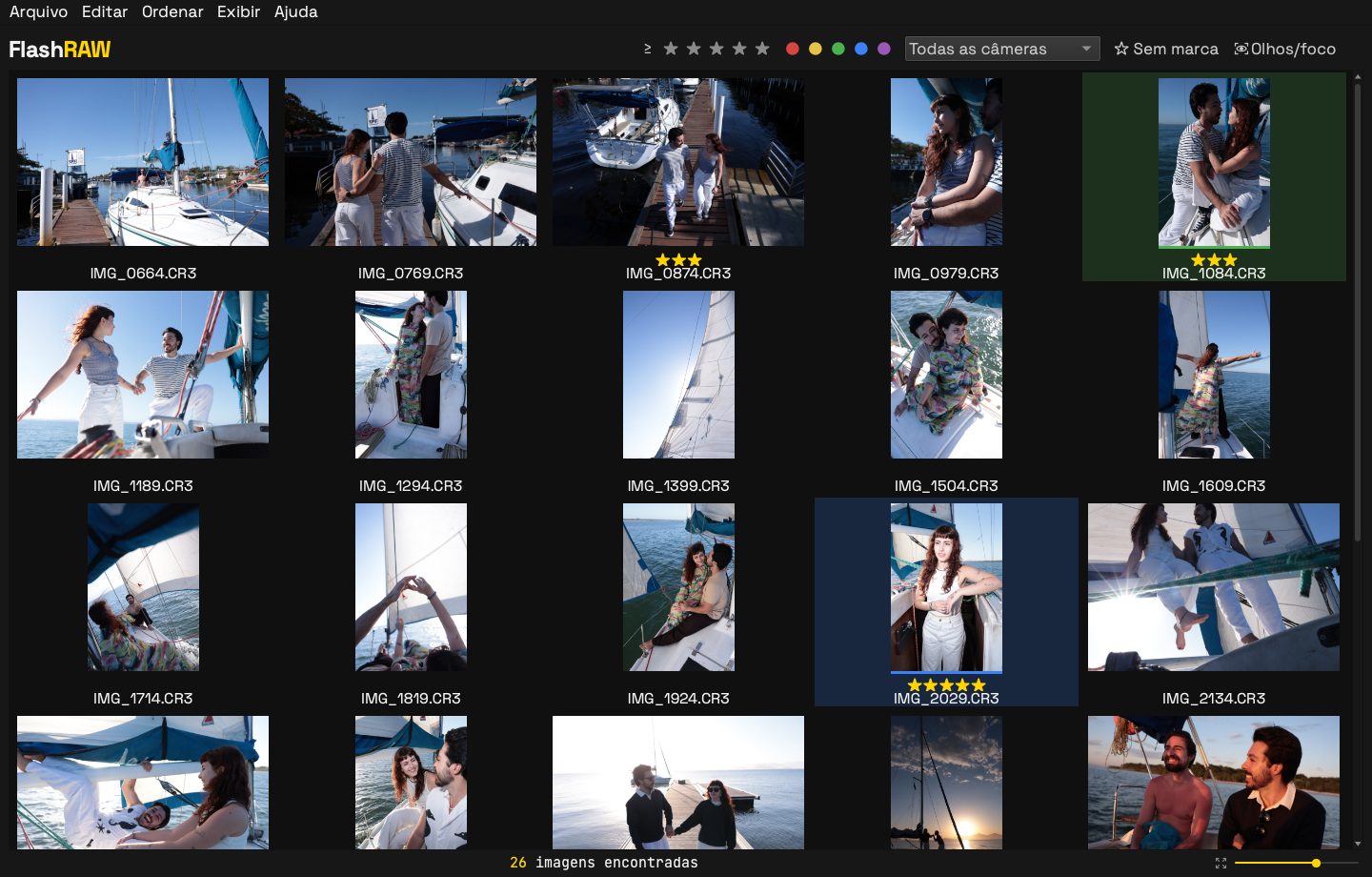
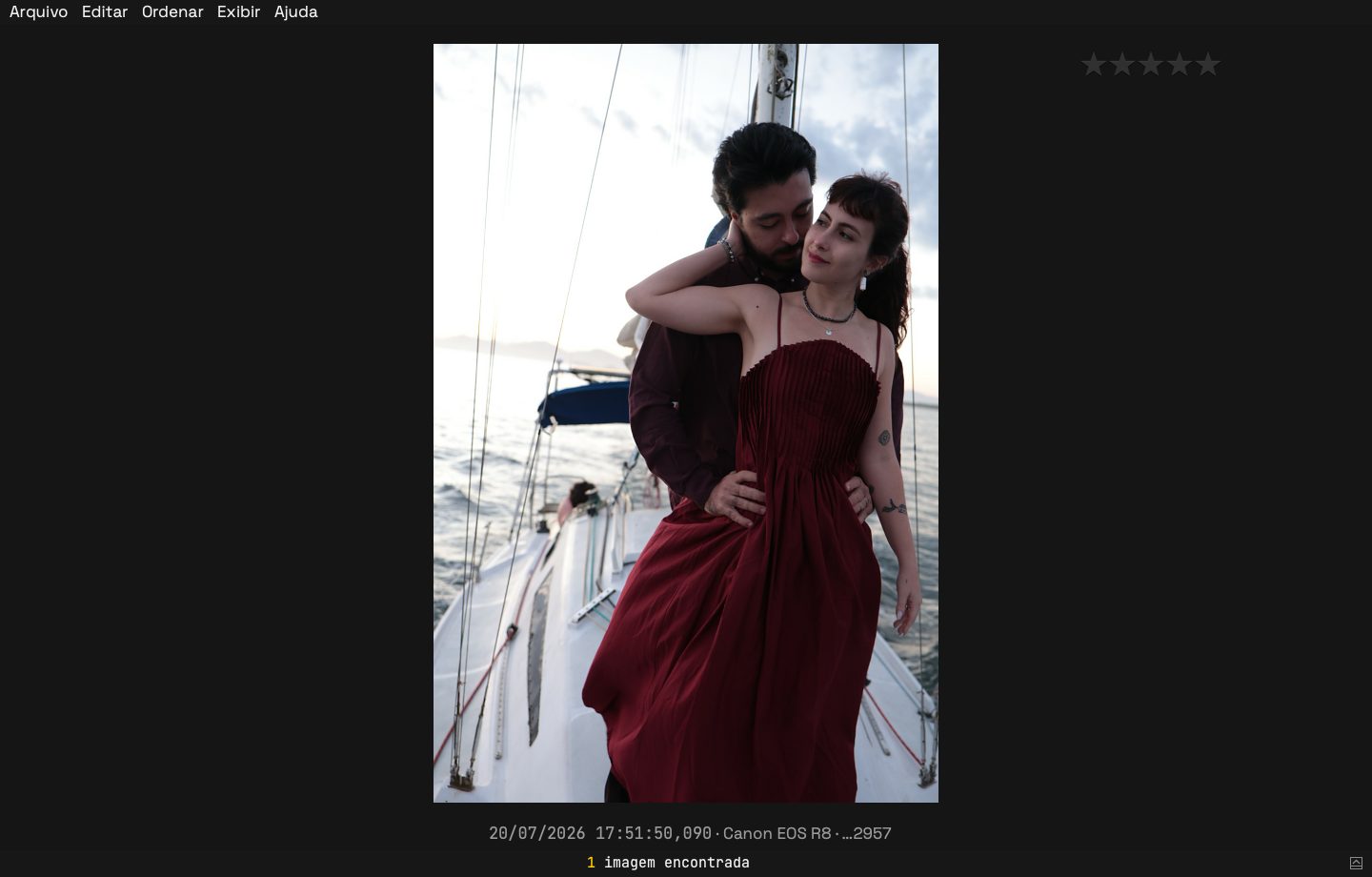
Photos: Mariana & Arthur’s session, by Elisson Andrade.
You choose, not an algorithm
AI tools promise to choose for you. But selection is where a photographer’s eye shows: the laugh with closed eyes, the slightly soft gesture that tells the story. FlashRAW decides nothing. It removes the waiting and points out what deserves a second look, like a clearly missed focus — without hiding or discarding a single photo. The choice stays yours.
How to cull RAW photos in three steps
The same order you already work in, without waiting on each photo.
Open the folder
Once the card is copied to your computer, open the job folder: FlashRAW finds the RAWs in every subfolder (one per camera, card or shooter) and shows them together. Thumbnails come from the previews already inside each RAW, so there's nothing to build or import.
Mark
Stars, color labels and 100% zoom, all from the keyboard. Marks go into XMP sidecars next to each RAW.
Deliver
Copy the keepers with their XMP to your editing folder, export JPGs for a quick preview, or drag what you picked straight into Lightroom.
Built for weddings, events and photo sessions
Thousands of frames, several bodies, one evening to get through them.
Sync your cameras' clocks
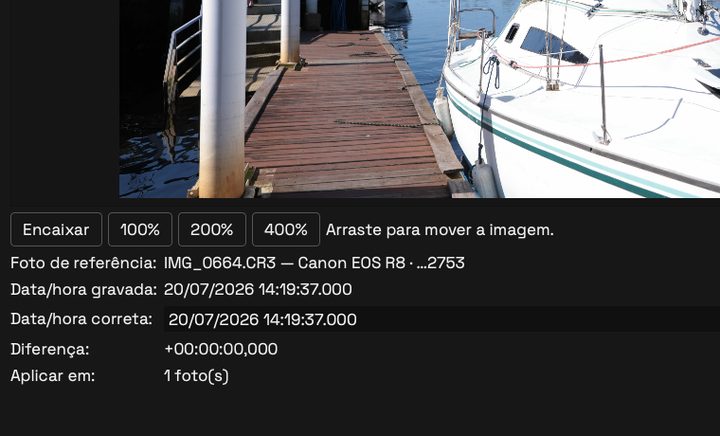
Two bodies, a second shooter, a clock running late? Set each camera's time — from a photo of a clock or by typing the right time — and every photo falls into order on one timeline. The fix goes into the XMP; the RAW is never changed.
Eyes open or closed

Trained computer vision marks each face’s eyes as open (green) or closed (red), so you can check without zooming into every frame. It only flags: you decide.
Focus check
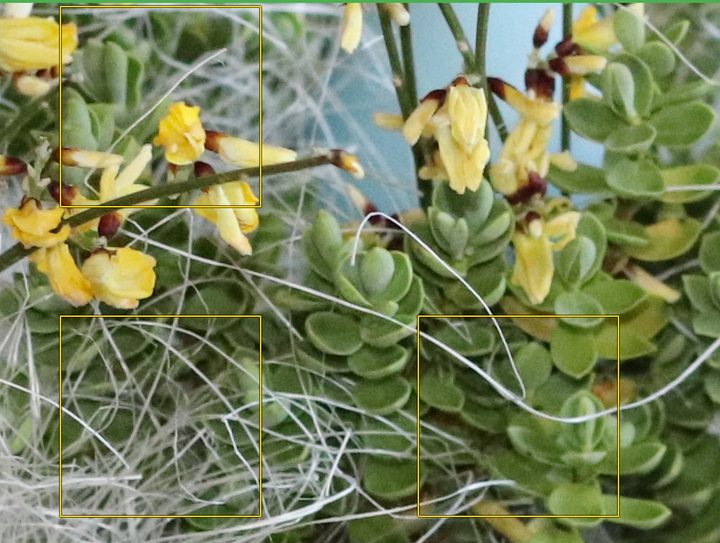
Shows where the camera focused and flags frames where the focus clearly missed, so you look twice before deciding. It runs in the background and pauses while you browse.
One photo per burst
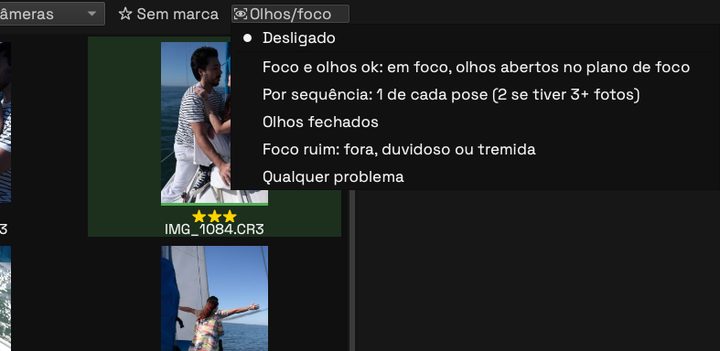
Show only one frame of each burst to move faster, or filter closed eyes and bad focus — then open the sequence to choose.
Works with your editor
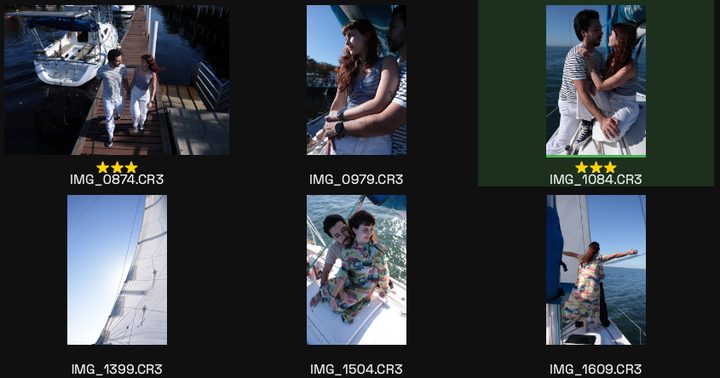
Ratings and labels are standard XMP: Lightroom and Photo Mechanic read them, and FlashRAW keeps their fields intact.
Your cameras
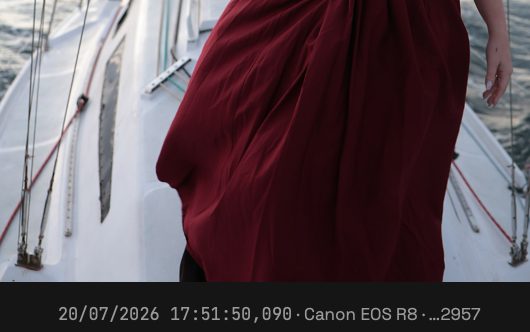
Canon (CR3 and CR2), Nikon (NEF), Sony (ARW), Fujifilm (RAF), Panasonic (RW2), Olympus and OM System (ORF), Leica (RWL), Pentax (PEF), Hasselblad (3FR), DNG and more — with each photo’s date, time and camera in view.
Your photos stay with you
Everything runs on your computer. FlashRAW never uploads photos.
Pricing
Prices appear in your currency; Paddle handles payment, taxes and invoices.
License
Pay once, no subscription, and keep FlashRAW 1.x with every 1.x update. The next major version is a paid upgrade.
Yearly subscription
Always the latest version, major versions included, while subscribed. Cancel any time.
Frequently asked questions
What software should I use to cull the RAW photos of a wedding?
FlashRAW opens every RAW in the job folder instantly, subfolders included, with no import and no previews to build. You go through the photos from the keyboard, add ratings and color labels, and take the selection into Lightroom.
Is FlashRAW a Photo Mechanic alternative?
Yes, for culling: open fast, mark, and hand off to your editor. It is simpler, costs $20 once, and also flags closed eyes and missed focus.
Does it detect closed eyes?
Yes. Trained computer vision marks each face’s eyes as open or closed. It only flags: no photo is hidden or thrown away.
Do ratings and color labels reach Lightroom?
Yes, in standard XMP sidecars next to each RAW, with the label names Lightroom recognizes in English or Portuguese. Photo Mechanic reads them too.
Do I have to import my photos?
No. Open the folder: thumbnails come from the previews already embedded in each RAW, so nothing is built or copied. The RAW is never changed.
Which cameras and systems are supported?
Canon (CR3 and CR2), Nikon (NEF), Sony (ARW), Fujifilm (RAF), Panasonic (RW2), Olympus and OM System (ORF), Leica (RWL), Pentax (PEF), Hasselblad (3FR), DNG and more. On Mac, macOS 14 or later (Apple Silicon) and macOS 15 or later (Intel); on PC, Windows 10 and 11.
How much does it cost?
A license for version 1.x: $20, paid once. Yearly subscription: $12 a year, always the latest version. Prices appear in your currency at checkout.
Is the free trial limited?
14 days with every feature, no card and no sign-up.
Download
The full app, free for 14 days. Enter your license key in Ajuda › Licença… when you buy.
Mac: open the .dmg and drag FlashRAW to Applications. The first time, macOS says it can't verify the developer: open System Settings › Privacy & Security and click Open Anyway.
Windows: unzip and run FlashRAW.exe. If SmartScreen appears, click More info › Run anyway.